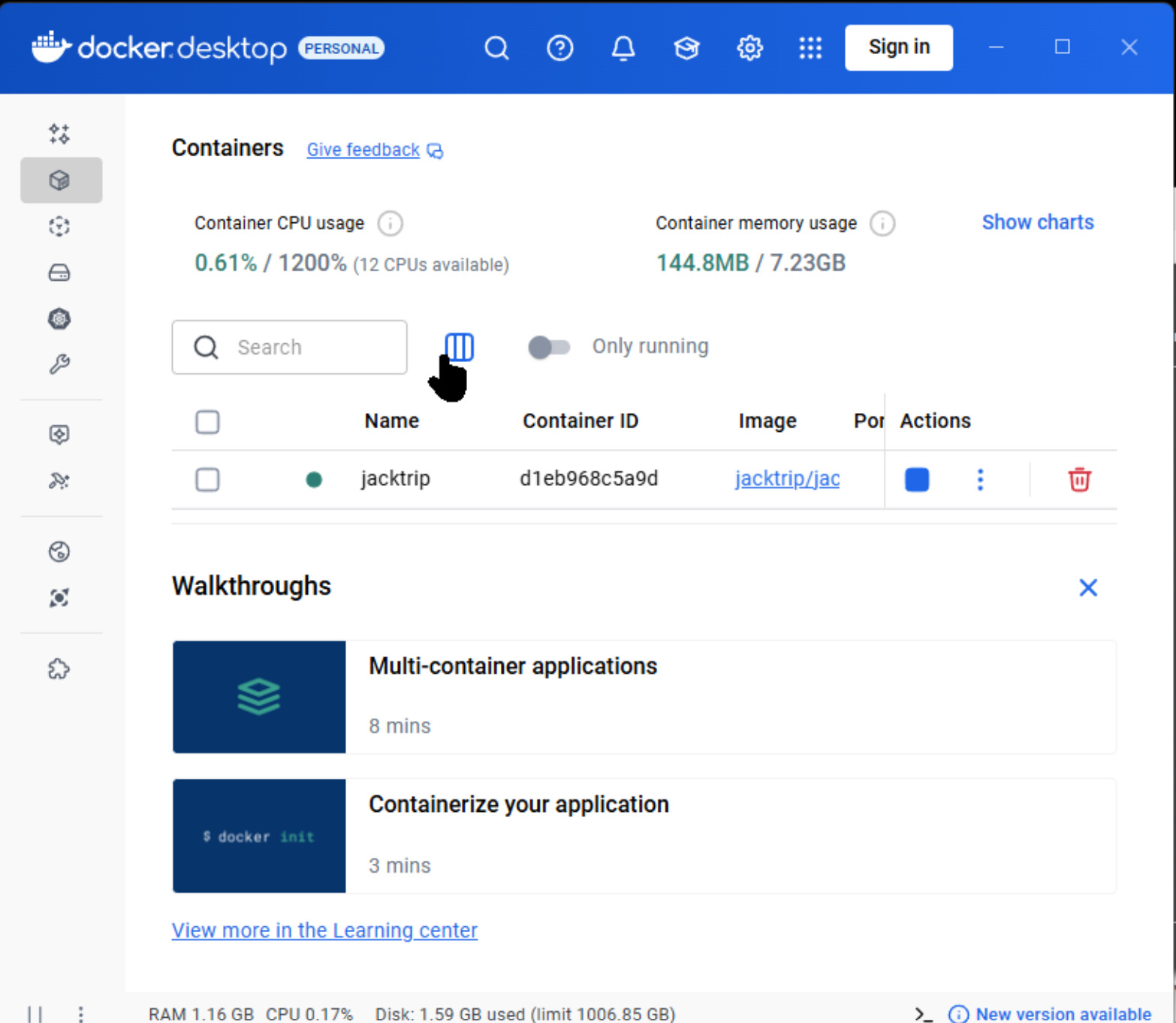
Hiya all, Got down docker desktop and already had the wsl installed and running on windows.
I tested the welcome docker and it works fine, but all the containers it lists for jacktrip doesn’t work.
Just don’t run, some say can’t reach jack server others throw nothing up and just won’t start. @miked You said about doing a tutorial, docker for desktop is comign to linkus too soon.
Could you have a look and see if you can get it running via the docker for desktop. I think mac and windows one should be same and maybe beta is about for the linux one, not looked though.
I’m going to try using the command lines you have up and a terminal with docket and see if that way works.
Hi @AMP , you can find the tutorials here. The jacktrip/* containers are the official ones and should work fine with Docker Desktop. I recommend starting with an audio-only server using jacktrip/jacktrip first, as it’s simplest and has the least number of requirements.
I tried them all and all exited. I used also the info on the docker pages from Jacktrip and did it via terminal.
It showed it their when I did what it said in the jacktrip info but don’t know if it was running.
Got down the liek portable jacktrip and tried to connect manually but wouldn’t connect.
The terminal info on the jacktrip docker page if for studio so don’t know if not having the tockens from jacktrip is halting its progress. I’ll check the tutorial now.
I’m gonna test it on a fresh maching first. I’m gonna install podman first and try like that.
I’ll do at first the audio server and see hwo that goes.
When I use podman would I be better using hyperV or windows docker?
EDIT:
It seems ot be running but can’t see to connect to it, tried jamuls and jacktrip, localhost, 127.0.0.1, wsl hyper-v virtual adapter ip and the main in out ip of the machine.
Running jacktrip as p2p client and p2p server seems to connect ok but trying to connect to the running container isn’t happenign atm.
when I set jacktrip to client p2p and say do local host or any local ip even the vritual adapter is connects and almost liek it’s connected to itself. If I then connect an outside client to the server machine which now has p2p client connecting localhost ansd the running container, it doesn’t connect but on disctection causes the p2p client of jacktrip on the server machine to Dictonnect Peer Stopped window withok button, then clickign ok puts that instance of the p2p client ran on the server machien back to a default not connected state.
Going to look into the privillged options and check see if the virtual adapter needs bridging or possibly some network issues. I got a few nics in the machine, 4x 40gbits, wifi, and standard built in nics too.
But it seems to be runnign now which is good, think other mahcine I was testing it on might have needed the wsl system updating.
Oh don’t think I said when Jacktrip is set to hub client it just tcp times out.
Ah ok it’s not a Privillage settings as that’s already inthe docker runcommandline
–privileged
Hi @AMP I only use Docker Desktop on Mac and am not familiar with it on Windows. I do know at least from using WSL on Windows that networking is a bit tricky and at least last I checked, localhost doesn’t seem to work.
I imagine Docker Desktop is running the engine inside of a VM and that probably has its own IP address. You’d probably need to use that IP address to connect up to it.
I tried a test docket and put in the port i set when running it and it found it fine in the web browser.
I’ll read up a bit on it all this week and see if there’s a pattern to windows dockers and if maybe someones found a quick fix work around.
I tried the vm’s ip too but was no go.
If there is any guides online to setting up in a ubuntu or other build’s ill try make a docker image myself or use wsl to run a linux build.
Maybe even try a pi version.
I’ll try that, I can see the ip address of the vm nic but will try that and see what happens with the docker inspect command. Hopefully all is good when I get that.
Would I need to add a route to windows routing table as my router would default route to the hardware’s nic, maybe also could just add it in the hosts for the in and out plus port.
Hiya Synth, what it is is with docker it’s like a Virtual machine, but like a self contained ready to go container you start up without all the overheads of running a full Virtual machine and it’s software.
So MD has given me the command that will hit the jacktrip docker container when it’s running and tell me the ip that Jacktrip is using. Hopefully if I put that ip in jacktrip it will connect, then I just need to sort the routing out.
By default if I said in the router go to ip of so and so machine that’s running jacktrip it would be the ip of the hardware network card, and because I couldn’t get jacktrip to connect using localhost
or 127.0.0.1 then any incoming connection from the router might not resolve itself. But hopefully I can add a static route to the routing table or use hosts files to do the redirection or substitution of ip’s when the router
routes it through.
It should work with localhost or 127.0.01 as when I use the test docker it is a basic web server that just says hello basically when you enter in ya localhost:127.0.0.1 or hardwares ip for that machine.
I’m not 100% but I wonder if the privileged option then means something extra needs sorting for the localhost to work with the container and if by default it is like a protection as running in privilege mode I guess is like
starting it as admin and allowing the container more access to it can perform correctly.
MD might know more on that but gonna give those commands a go in a sec.
Sep 23 17:43:51 docker-desktop jacktrip[34]: mThreadPool default maxThreadCount = 12 Sep 23 17:43:51 docker-desktop jacktrip[34]: mThreadPool maxThreadCount previously set to 192 Sep 23 17:43:51 docker-desktop jacktrip[34]: JackTrip HUB SERVER: UDP Base Port set to 61002 Sep 23 17:43:51 docker-desktop jacktrip[34]: Setting buffers to zero when underrun… Sep 23 17:43:51 docker-desktop jacktrip[34]: --------------------------------------------------------- Sep 23 17:43:51 docker-desktop jacktrip[34]: Binding OSC server socket to UDP port 4464 Sep 23 17:43:51 docker-desktop jacktrip[34]: OSC server started on UDP port 4464 Sep 23 17:43:51 docker-desktop jacktrip[34]: JackTrip HUB SERVER: Waiting for client connections… Sep 23 17:43:51 docker-desktop jacktrip[34]: JackTrip HUB SERVER: Hub auto audio patch setting = 4 (full mix) Sep 23 17:43:51 docker-desktop jacktrip[34]: =======================================================
But first command just bounces back an empty line and no info. I sorta get the command as it’s using a custom format and then using the .NetworkSettings.IPAddress but it just
returns and Empty Line. So I’m just getting this: C:\Users*******>docker inspect -f “{{.NetworkSettings.IPAddress }}”" d1eb968c5a9d408578644081d78296e32ecb038999e2e11e134df2297f87f9a9 "
Also soz, I know the format is wrgn in the line, has extra ! and no leading space but even corrected it does the same thing and gives back an empty line.
Tried the jacktrip/jacktrip and came back with template parsing error: template: :1:19: executing “” at <.NetworkSettings.IPAddress>: map has no entry for key “NetworkSettings”
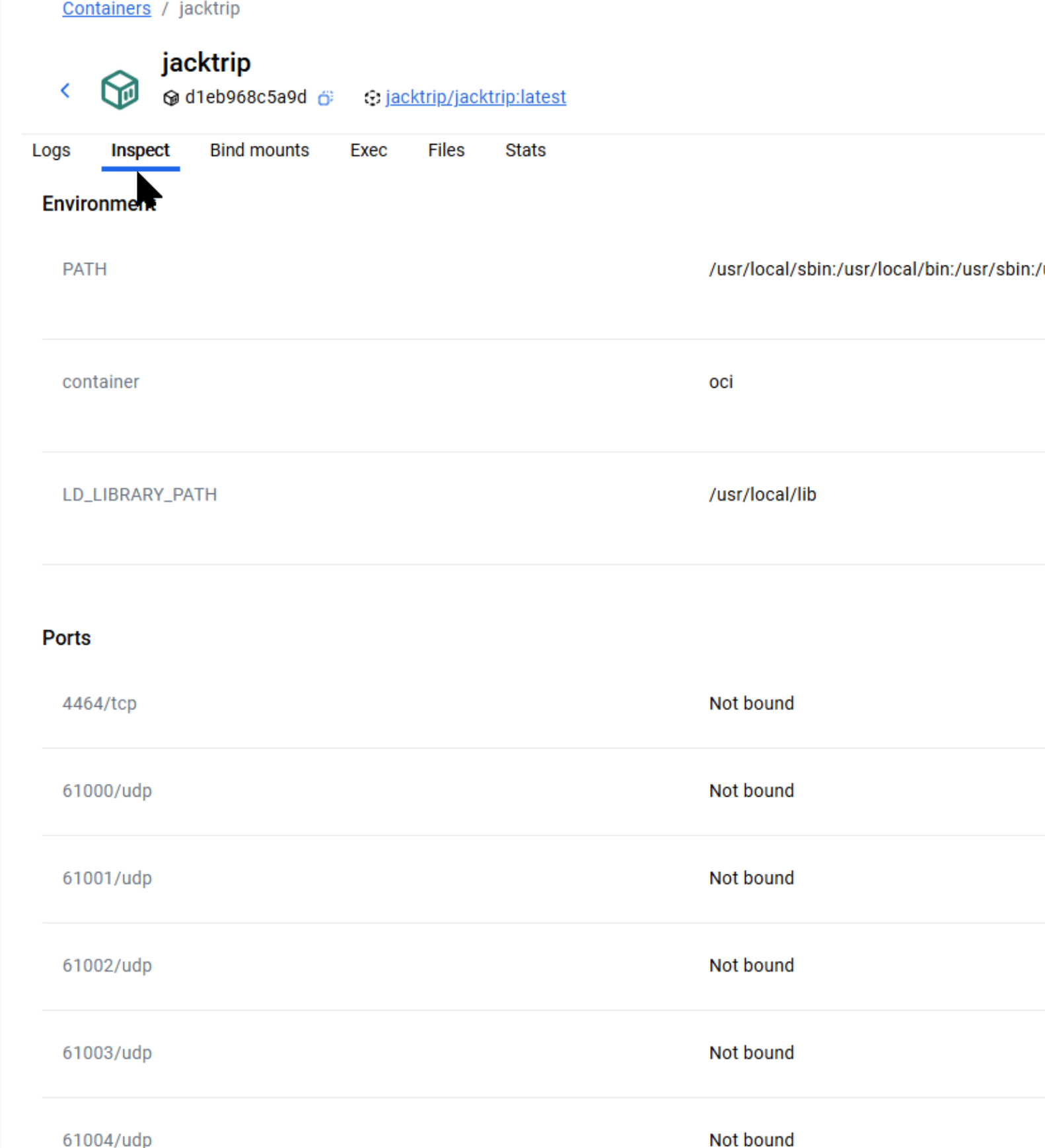
Also when I use decker desktop to inspect it shows raw json but turnign that off just gives it bais cand says none of the ports are bound
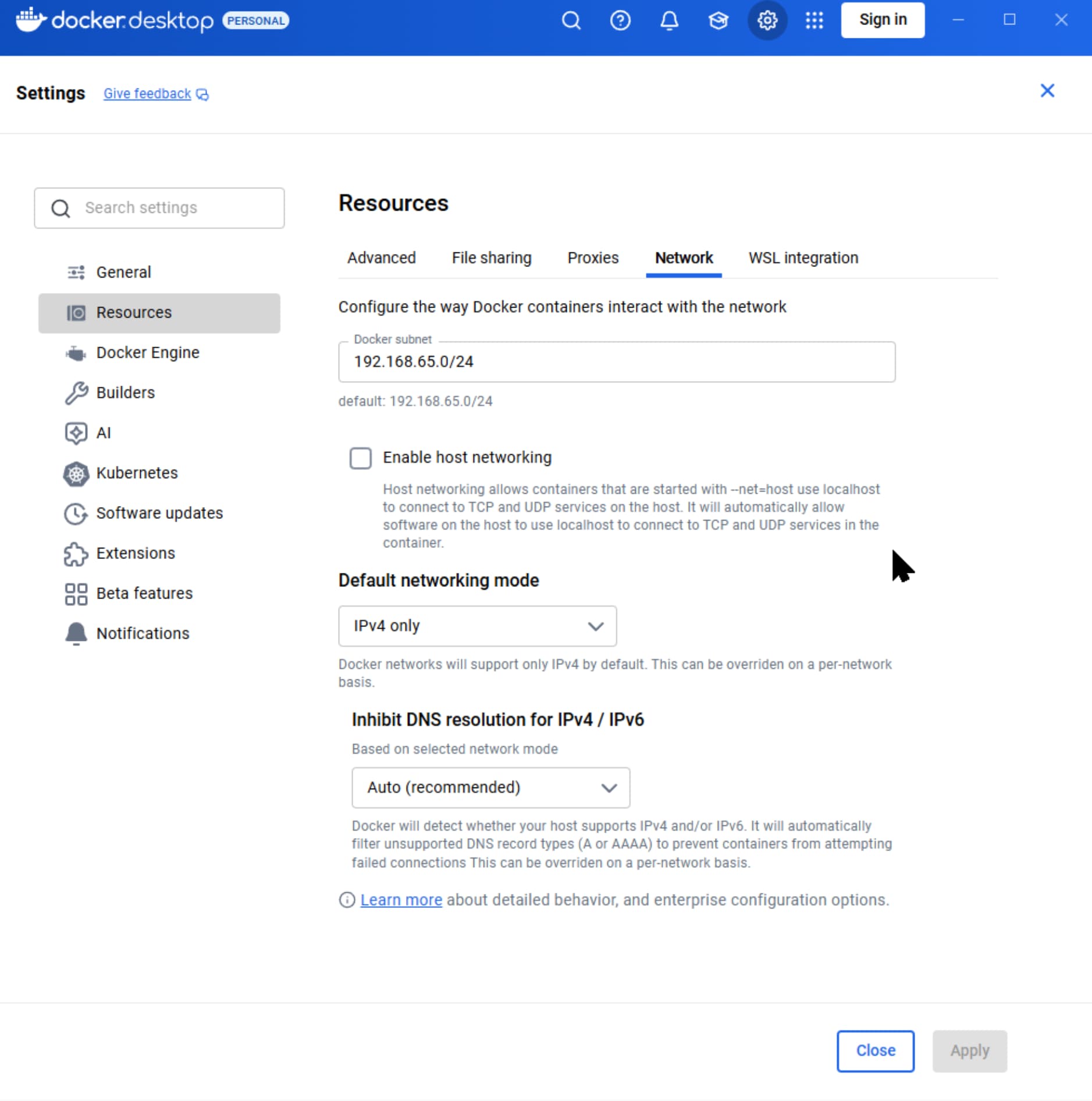
OK this might make a difference when I change it, I was creating my own networks too in docker but still nothing but I guess least I know what the ip range was now and why itwasn’t using host.
K, using first option on the docker page for jacktrip/jacktrip using host as network it threw up an can’t bind 4464 port cos I guess the container had taking it somehow exclusively.
So used the one with the ports in the command line and it loaded. Can’t connect to it local host and have to use the hyper-v nic but it connected fine.
So by default docker has -host -net etc disabled and has to be enabled.
When I also enabled ip4 and 6 it didn’t throw up the bind message on the -host command line but then it didn’t do anything and timed out tcp but I didn’t test it by hitting the virtual nic whilst it was in dual so I will do that as I’m thinking it would be best having ip6 on and possibly some of the infrastructure of the jacktrip studio may need it now or possibly later.
So with Docker Desktop it’s just a case of pulling the image, running the container via cmd then connecting via virtual nic’s ip.
I guess I can just bridge that if it lets me to the nic that will host the internet. If it don’t let me then I imagine I can use some of the docker network commands to route or bridge it.
Basically was a lot not working mainly because an option for -host was disabled by default. I see why but I should have looked harder when in the network options before.
But least now I know about dockers and REALLY like them. I like the Linux environment but I have too much I need windows for too but with hyper-v and dockers it will allow for much better setup here locally. Going to see what nas dockers I can find now as it would definitely be better with the 40gbits connections than using windows.
Plus want mess with the Dual SMB which can use 2 connection for better transfer speeds.
Once I have this routing how I need it I will try testing the studio jacktrip container and looking into what I need to set that up or rather rely on you geniuses to help when I get stuck.
TY MD for all your help and you synth for the Encouragement.
Thank you so much @AMP for sharing your experience - your time and effort are valuable contributions to this community and I am excited about future adventures.